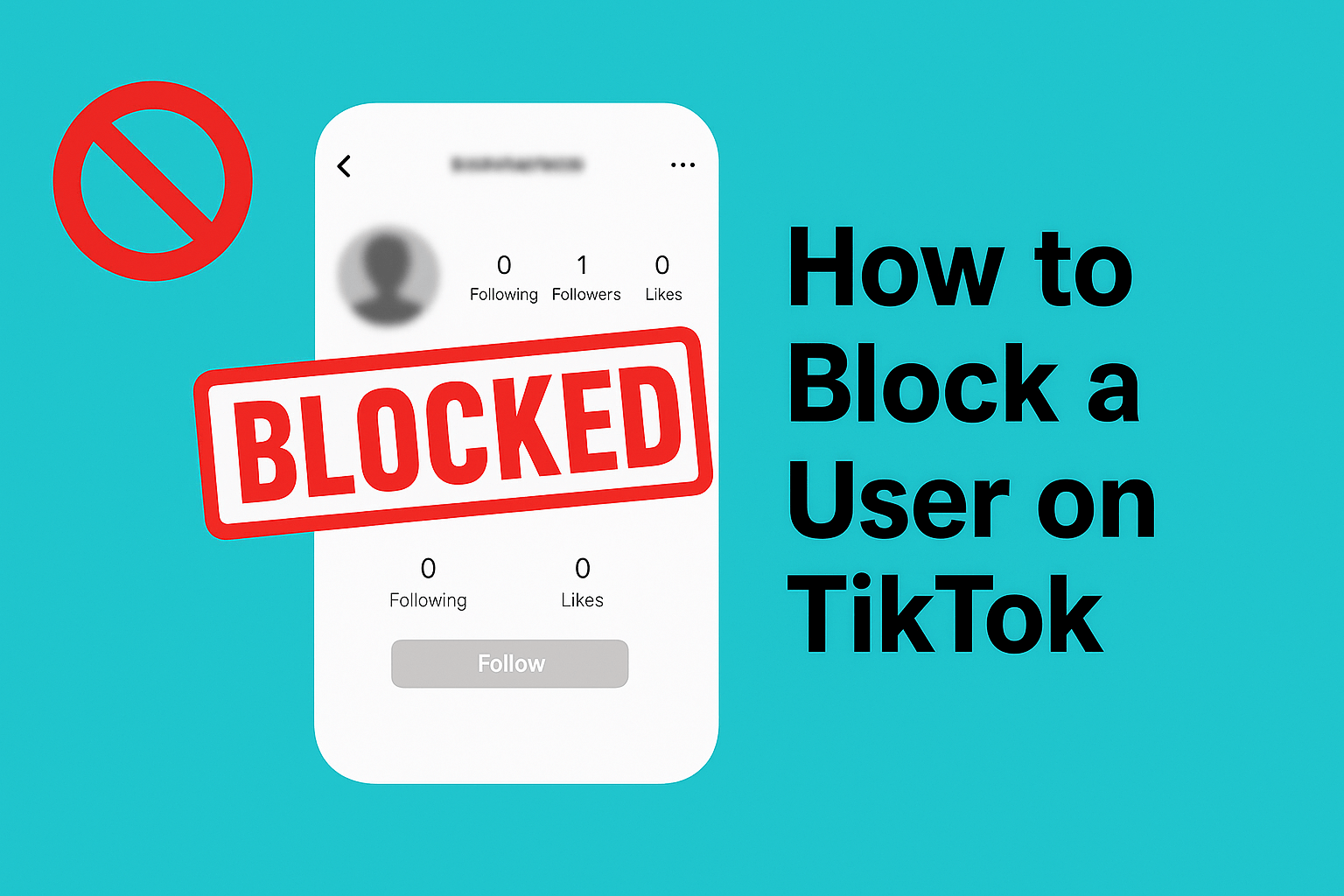
You are reading this guide to learn how to block a user on TikTok, so I will get straight to it and provide the solutions you need. I will provide clear instructions, bullet points, and screenshots to guide you through the entire process.
What Does Blocking Do on TikTok?
Blocking cuts all direct contact with a user. Once you block someone:
- They cannot view your videos.
- They cannot follow you.
- They cannot message you.
- They cannot comment on your posts.
- They cannot tag you.
- They cannot mention you.
- They cannot see your profile at all.
Blocking gives you space. You will not get alerts from them, and they will not know you viewed anything before blocking.
How to Block a User on TikTok (Step-by-Step)
You can block someone in two ways. Either from their profile or from a comment or message they left.
Both methods take a few seconds to complete.
1. Block From a TikTok Profile
1. Open TikTok.
2. Tap the search icon.
3. Type the username.
4. Open their profile.
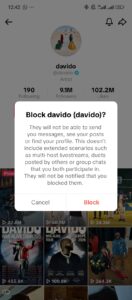
5. Tap the three dots or share icon (top-right).
6. Tap Block.
7. Confirm.
Quick tip:
If you are getting unwanted spam, blocking at the profile is the fastest fix.
2. Block a User From Their Comment
1. Open the video where the comment appears.
2. Long-press the comment.
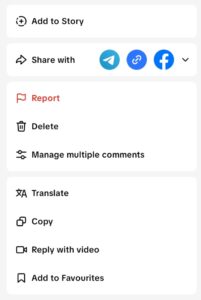
3. Tap Manage multiple comments (if you want to block several users).
4. Select the user.
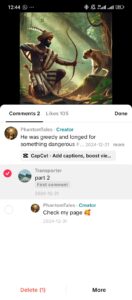
5. Tap More.
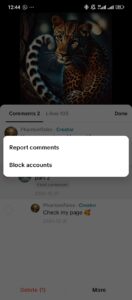
6. Tap Block.
3. Block a User From Your Inbox
1. Open your TikTok inbox.
2. Open the message thread.
3. Tap the three dots.
4. Select Block.
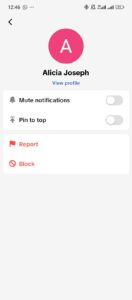
This works well for trolls or spammers who message repeatedly.
How to Block Multiple Users on TikTok
TikTok lets you block several accounts in one action.
Here is how:
1. Open one of your videos.
2. Go to the comments.
3. Long-press one comment.
4. Tap Manage multiple comments.
5. Select up to 100 users.
6. Tap More.
7. Tap Block accounts.
This helps if bots or spam accounts hit your comments at the same time.
How to Unblock a User on TikTok
You can reverse a block anytime.
1. Open TikTok.
2. Go to your profile.
3. Tap the three lines.
4. Tap Settings and privacy.
5. Tap Privacy.
6. Select Blocked accounts.
7. Tap Unblock beside the username.
The user will not get a notification.
Block vs. Restrict on TikTok
| Feature | Block | Restrict |
|---|---|---|
| User can see your content | No | Yes |
| User can comment | No | Yes, but comments may be hidden |
| User can message you | Yes | No, but limited |
| You appear in their search | No | Yes |
| Alerts stop | Yes | No |
Block is a complete cutoff, while Restrict is a soft filter.
Why You Might Want to Block Someone
You might block a user when:
- They send unwanted messages.
- They spam your videos.
- They leave rude comments.
- They copy your content.
- They repost without credit.
- You want privacy from certain people.
- You want space from accounts that track you too closely.
Blocking protects your experience. You do not need a reason to block.
What Happens When You Block Someone on TikTok?
Here is what changes:
1. They Cannot See Anything
Your profile disappears on their end.
2. They Cannot Contact You
No comments, messages, likes, tags, or mentions.
3. Your Comments on Their Posts Stay Hidden
Anything you said before blocking becomes invisible to them.
4. They Are Not Notified
TikTok keeps it private. They might notice when they try to interact with you, but they will not see a block alert.
Does Blocking Remove Likes or Comments?
Yes, blocking hides any past interactions you had with the user.
- Your comments disappear for them.
- Your likes also become hidden on their end.
How to Tell If Someone Blocked You
You cannot see a block alert, but the signs are simple:
- You cannot view their videos.
- Their profile shows “No content.”
- They do not appear in search.
- You cannot follow them.
- Your messages do not deliver.
Those signs usually mean you are blocked.
Can a Blocked User Still View Old Messages?
They will still see old messages, but they cannot respond. Any new messages sent will not be delivered.
How to Stop Someone From Stitching or Dueting Before Blocking
If you do not want to fully block someone, you can limit what they do with your content.
Disable Stitch / Duet
1. Go to your profile.
2. Open a video.
3. Tap the three dots.
4. Tap Settings.
5. Turn off Stitch.
6. Turn off Duet.
This stops content remixing without blocking.
How to Report a TikTok User Before Blocking
If someone breaks TikTok rules, report them before or after you block them.
- Open their profile.
- Tap the three dots.
- Tap Report.
- Pick your reason.
- Submit.
Blocking protects you. Reporting protects the platform.
Extra Tips to Manage Your Safety on TikTok
Use these settings to stay more comfortable on the app.
1. Set Your Account to Private
- Go to your profile.
- Tap the three lines.
- Tap Settings and privacy.
- Tap Privacy.
- Turn on Private account.
Only approved followers see your content.
2. Limit Who Comments on Your Videos
1. Go to Privacy.
2. Tap Comments.
3. Pick:
- Everyone
- Followers
- No one
3. Filter Comments
1. Go to Privacy.
2. Tap Comments.
3. Turn on filters for:
- Spam
- Offensive terms
- Keywords you choose
4. Choose Who Can Tag or Mention You
1. Go to Privacy.
2. Tap Mentions and tags.
3. Pick your preference.
5. Control Your DMs
1. Go to Privacy.
2. Tap Direct messages.
3. Pick:
- Followers
- Friends
- No one
FAQs
Can I block someone without visiting their profile?
Yes, you can block them from comments or messages.
Do blocked users disappear from your follower list?
Yes, blocking removes them.
Can a blocked user still show up in your For You page?
No. TikTok hides their content from you.
Conclusion
Learning how to block a user on TikTok gives you control over your space. You do not need approval or a reason. If someone bothers you, you block and move on.
This guide has provided all the information you need to block a user to protect your content, messages, and activity.
 Share this post