How to Enable Trusted Friends on Roblox

To add someone as a Trusted Friend on Roblox, you first need to have completed an age check on your account, and then you connect with them through a live QR code scan, a phone

To add someone as a Trusted Friend on Roblox, you first need to have completed an age check on your account, and then you connect with them through a live QR code scan, a phone
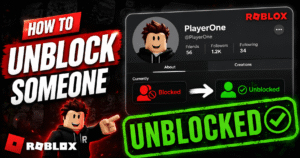
To unblock someone on Roblox, go to Settings, open the Privacy tab, find their name under Blocked Users, and tap Unblock. It takes effect right away, with no waiting period and no email confirmation, and
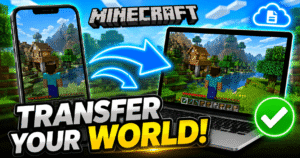
Minecraft doesn’t back your worlds up to the cloud automatically, so moving one to a new device means moving the actual world files yourself. The method depends on two things: which edition you play (Java

You add an AI content label in YouTube Studio by toggling “Yes” under AI use in the Attributes section during upload or by editing an existing video’s details and doing the same. Once you select
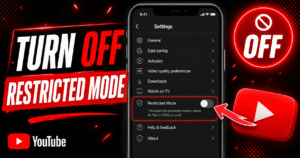
To turn off Restricted Mode on YouTube, tap your profile photo, open Restricted Mode (or Settings > General on mobile), and switch the toggle off. You’ll need to do this separately on every browser, app,
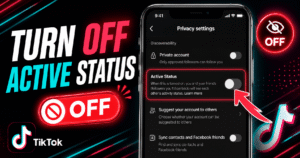
Go to your TikTok profile, tap the menu icon (☰), then go to Settings and Privacy → Privacy → Active Status and toggle it off. That’s the whole process, and it takes less than 30

Auto scroll on TikTok moves you to the next video automatically once the current one finishes, so you don’t have to swipe. To turn it on, press and hold anywhere on a video in your
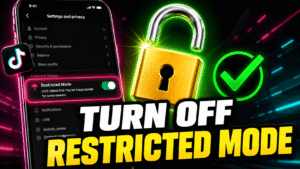
Go to your TikTok profile, tap the menu icon (☰), open Settings and Privacy → Content Preferences → Restricted Mode, and toggle it off. If it’s protected by a passcode, you’ll need to enter that

Press Ctrl + B on PC to toggle the Minecraft narrator off immediately. If you are on console, go to Settings, then Accessibility, and then Text to Speech and disable it there. The narrator turns

Name tags cannot be crafted in Minecraft. There is no recipe for them, not in Survival, not in Bedrock, not in Java. If you opened this page expecting a crafting table layout, that’s the answer