It is always a good idea to check if the cool Minecraft username you want to use is already taken. There are millions of players on Minecraft, and each of them has a unique name that appears on their profile.
In this article, you will learn every reliable method to check name availability, how Mojang handles usernames, common errors, and smart tips to secure a good name.
How Minecraft Usernames Work
Before checking availability, you need to understand how Minecraft handles usernames.
Key Rules for Minecraft Usernames
Minecraft usernames must follow these rules:
Length
The length of a username must be 3 to 16 characters.
Characters allowed
Letters (A–Z)
Numbers (0–9)
Underscore (_)
No spaces
No special characters
Usernames are unique. This means one account equals one name at a time.
Name Changes and Availability
Minecraft allows name changes every 30 days. When a player changes their name:
The old name becomes locked for 37 days. After that period, the name may become available again. This waiting period prevents impersonation and name sniping.
How to Check If a Minecraft Username Is Taken
Method 1: Use Social Username Checker Tool
The Minecraft username checker tool on Social Username Checker is the best way to check name availability for free without logging in. Here is how:
1. Go to the Minecraft Username Checker Tool.
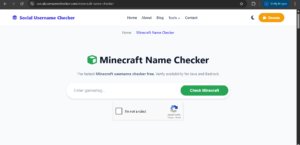
2. Enter the username in the search bar, verify reCAPTCHA, and tap Check.
3. View the result.
If the username is taken you will see a taken text with some information about the user including UUID. But if the name is available, you will see green ‘available’ text.
Understanding the Results
| Status | Meaning |
|---|---|
| Green Text | Name is available |
| Red Text | Name is taken |
This method is fast, free, and suitable for gamers who want to check availability without having to login.
Method 2: Check Username During Minecraft Signup
Another way to check if a Minecraft username is taken is to user the signup page.
Steps
1. Go to the official Minecraft signup page
2. Start creating a Microsoft account
3. Enter the username you want
4. The system checks availability instantly
What You will See
Available: You can proceed
Unavailable: You must try another name
This method is an official source, but it requires account creation steps. Use this method if you plan to register right away.
Common Reasons a Username Appears Taken
Sometimes, a name looks unavailable even if no one uses it actively. This can be due to one of these reasons:
- Name locked after recent change
- Banned or migrated account
- Name held by inactive user
- System caching delay
Minecraft does not recycle names immediately.
How Long Before a Username Becomes Available Again
This depends on account activity.
Standard Timeline
Name change happens
37-day lock period starts
Name may become available after lock ends
Important Notes
Mojang does not guarantee release
Some names never return
High-demand names get claimed fast
If you want a popular name, timing matters.
Tips to Get an Available Minecraft Username
If your first choice is taken, use these strategies.
- Modify the Name Slightly
- Add an underscore at the end
- Add a number
- Change letter order
- Use abbreviations
Examples
| Taken Name | Alternative |
|---|---|
| Alex | Alex_ |
| Builder | Build3r |
| Knight | KnightX |
Think Long-Term
Pick a name you can keep. Changing later has limits.
How Username Availability Differs by Minecraft Edition
Minecraft has multiple editions. The two most popular are Java Edition and Bedrock Edition. Java is the original, PC-focused, highly moddable version, while Bedrock is cross-platform, console/mobile/Windows, and marketplace-focused.
Java Edition
- Username-based
- Public name changes
- Name history visible
Bedrock Edition
- Uses Xbox Gamertag
- Different name rules
- Availability tied to Microsoft system
This guide focuses on Java Edition usernames.
Username Check Methods Compared
| Method | Accuracy | Speed | Extra Info |
|---|---|---|---|
| Official signup | High | Fast | No |
| Socialusernamechecker | High | Fast | Yes |
| Profile URL | Medium | Fast | No |
| Third-party tools | Medium | Fast | Yes |
| Login test | Low | Slow | No |
Why Checking Username Availability Matters
This is an important step since your username is your identity. It is a unique way of interacting with others on Minecraft.
Other players recognize it
Servers display it
Forums and mods reference it
Changing your username later can cause confusion and delays. This is why you need to check for a good name.
People Also Ask (FAQs)
How do I know if a Minecraft username is permanently unavailable?
There is no public list of permanent locks to view permanently unavailable names, instead they show up as taken on check tools.
Can I claim a Minecraft username from an inactive account?
No. Minecraft does not release names based on inactivity alone. Only name changes trigger potential availability.
Does capitalization affect Minecraft usernames?
No. Minecraft treats usernames as case-insensitive. `PlayerOne` and `playerone` count as the same name.
Can I reserve a Minecraft username?
No reservation system exists. You must register or change your name when it becomes available.
How often should I recheck a locked username?
Check once per day after the 37-day lock ends. Popular names disappear quickly since others might be waiting to claim them.
Conclusion
Now you have learnt how to check if a Minecraft username is taken with the social username checker tool and official Mojang platforms. A good username sticks with you for years. This is why it is always a good idea to get the right name at first.
If your preferred username is already taken you can use our Gamertag generator to create a rare or unique minecraft username.
 Share this post